Fresh Omarchy to your machine.
Omarchy installs in about a minute. Then you spend the evening putting your things back. ress is the other half of that minute.
# on the machine you like
$ ress backup

# on the machine that has nothing
$ ress restore --from github.com/you/my-omarchy-vault
Packages, dotfiles, themes, web apps, shell plugins, and the systemd services you had switched on — after it has shown you each one and asked. Timed at 14 seconds onto a clean Omarchy install. Resumable, and it never overwrites a file without keeping the old one.
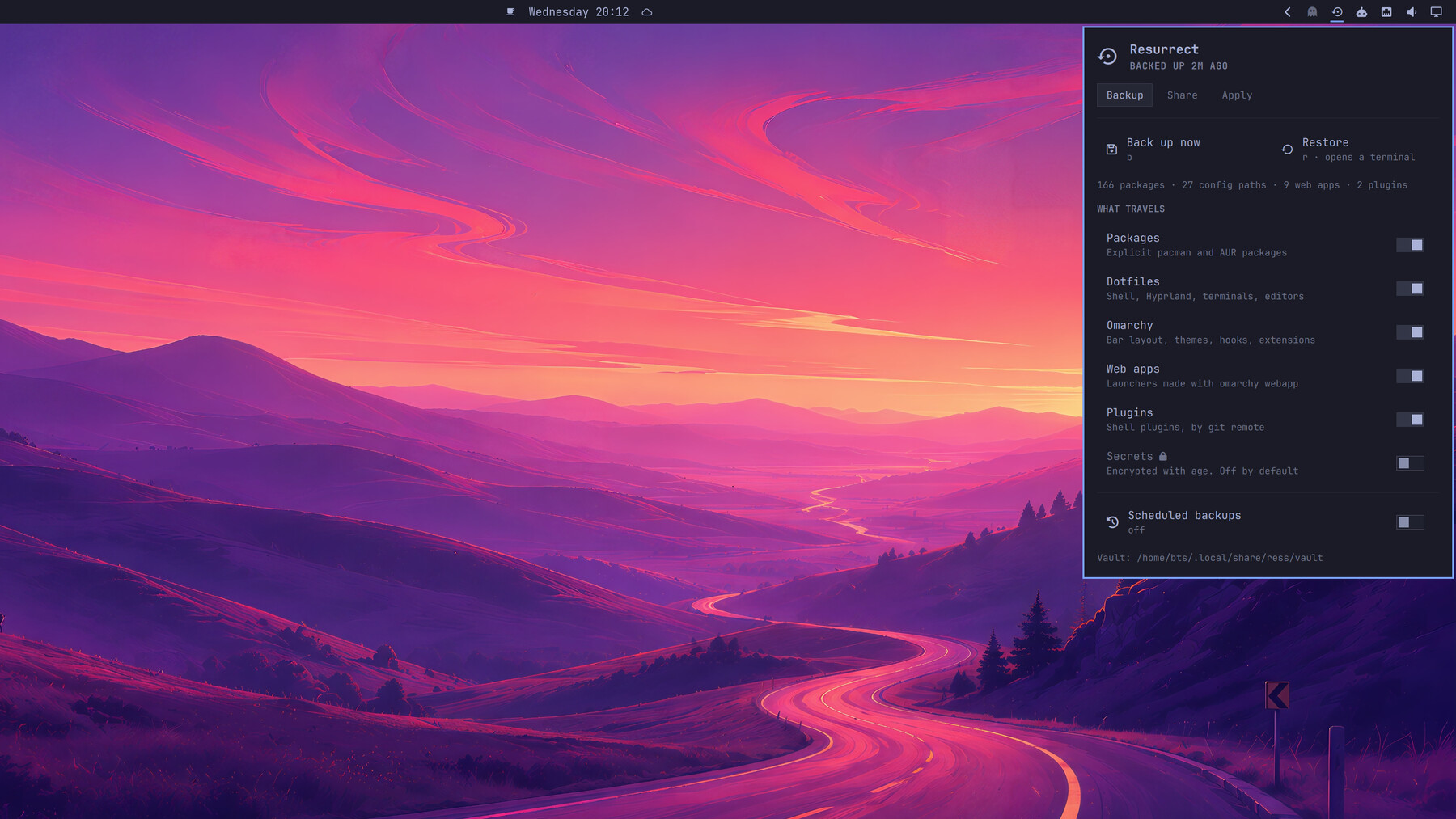
Install
$ omarchy plugin add https://github.com/btsouth/omarchy-resurrect --enable
$ ~/.config/omarchy/plugins/tsouth89.resurrect/bin/ress link
$ ress init --remote https://github.com/you/my-omarchy-vault.git
$ ress backup
The vault is an ordinary git repo. Push it somewhere private, or keep it on the machine. There is no account here, no server, and no service to sign up for — the whole thing is a plugin and a shell script.
Starting from a bare TTY on a fresh install, before you have a desktop:
$ omarchy plugin add https://github.com/btsouth/omarchy-resurrect --yes
$ ~/.config/omarchy/plugins/tsouth89.resurrect/bin/ress restore --from github.com/you/my-omarchy-vault
Loadouts
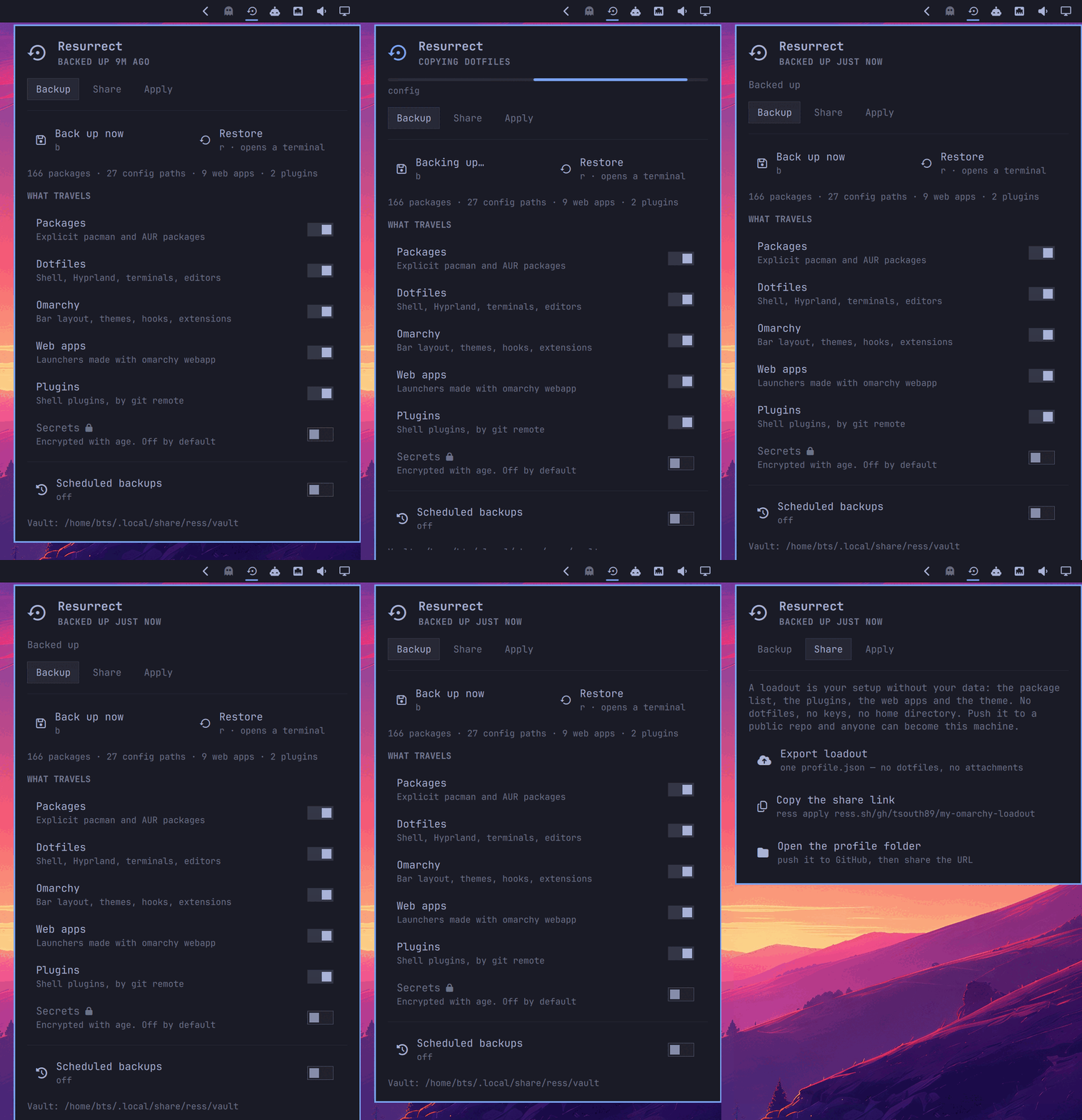
Your setup, as a link.
A loadout is your machine with your data removed: what is installed, not what is in your files. One JSON file of package names, plugin repos, web app URLs and a theme. Push it to a public repo and anyone can become your setup.
ress apply shows you every package, plugin and web app it would
install, and installs nothing until you say yes.
Why this is safe to run
Nothing at install time
Adding the plugin clones files. No install hooks, no post-install scripts, no sudo.
Preview, then confirm
Every package, plugin and web app is listed before anything is installed. Nothing is ever removed.
Profiles can't embed code
The format holds names and URLs: no field for file contents, none for a command. The plugin and theme URLs in it still install code — pinned to the commit you were shown, so it cannot change after you agreed to it.
Four verbs, no fifth
Install a package, add a plugin, add a web app, set a theme. No field of a profile is ever run as a command.
Credentials are kept out
Keys, tokens and hosts.yml are excluded from every capture, and the vault is scanned for anything shaped like a credential before it is committed. Secrets are opt-in and age-encrypted.
ress.sh only redirects
No storage, no accounts. GitHub hosts your profile; links are expanded on your machine before any request.